Gobattle
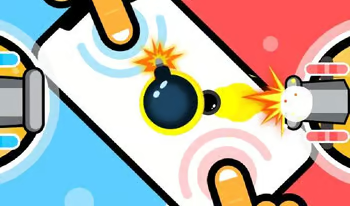
Gobattle is a lively party game collection designed for local multiplayer fun with friends. The game features numerous mini-games that test different skills including reaction time, strategic thinking, speed, and coordination. Each mini-game has simple rules that are easy to understand, making it accessible for players of all skill levels. The competitive format keeps everyone engaged as you battle through the collection, with different mini-games requiring different approaches and strategies. The colorful presentation and energetic atmosphere make it ideal for group gaming sessions. Whether you are playing with family or friends, Gobattle provides a variety of challenges that ensure no two sessions feel the same.
Party Game Tips
Rating: 4/5.0
Gobattle is a lively party game collection designed for local multiplayer fun with friends. The game features numerous mini-games that test different skills including reaction time, strategic thinking, speed, and coordination. Each mini-game has simple rules that are easy to understand, making it accessible for players of all skill levels. The competitive format keeps everyone engaged as you battle through the collection, with different mini-games requiring different approaches and strategies. The colorful presentation and energetic atmosphere make it ideal for group gaming sessions. Whether you are playing with family or friends, Gobattle provides a variety of challenges that ensure no two sessions feel the same.
Read the rules carefully at the start of each mini-game, as they vary significantly. Practice quick decision-making, as most mini-games have short time limits. Adapt your strategy based on the specific skills each mini-game tests. In competitive modes, focus on consistency rather than risky high-reward plays. Learn from each round to improve your performance in repeated mini-games. Communicate with friends during team-based mini-games for better coordination.
How to Play
Click the Play button above to launch Gobattle directly in your browser. Browser-Baseds, plugins, or installations are needed - everything runs smoothly within your web browser.
Use your mouse, keyboard, or touch screen to control the game. Each game has on-screen instructions to help you get started. Bookmark this page to come back and continue playing later.
Last Updated: 2026-06-19 Platform: Web Browser Player Rating: 4/5.0